Tech & SaaS
Glossy hex badges, bolt marks, and clean neon-edge emblems for apps and startups.
 AIto3D.ai
Sign in or create your account to generate and manage your AI 3D models.
By continuing, you agree to our Terms and Privacy Policy.
Upload a clean logo image and convert it into a downloadable 3D logo model. Choose PBR materials, texture quality, geometry quality, and triangle or quad mesh output for websites, videos, product mockups, signage, games, AR, and 3D printing.
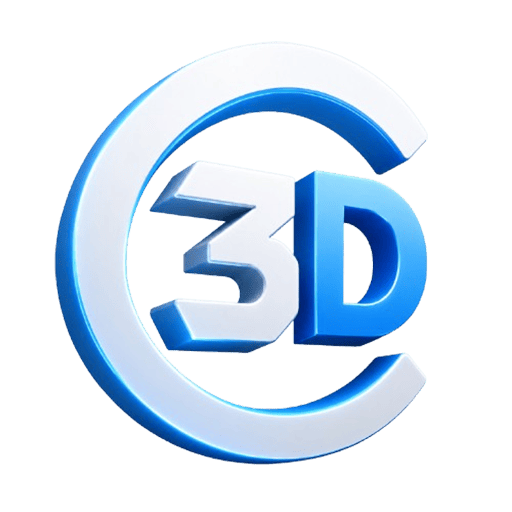
This live case was generated from the original AIto3D.ai logo using Standard Texture and Standard Geometry for a total of 40 credits. Rotate and zoom the real GLB model directly in your browser.
The generated GLB was about 40 MB. For faster web delivery, this preview uses the result after our free Compress GLB tool reduced it to about 4 MB—roughly 90% smaller while preserving the visible 3D result.
From tech and transport to fashion, gaming, and food, AIto3D.ai shapes a 3D logo that matches your brand's material and mood — glossy plastic, brushed metal, polished gold, or game-ready emblem.
Glossy hex badges, bolt marks, and clean neon-edge emblems for apps and startups.
Chrome winged shields and metal crests for car, mobility, and motorsport brands.
Mission-style roundels, rocket crests, and badge emblems with metal finish.
Rounded, friendly mascot badges with toy-plastic shine for kid and creator brands.
Solid house marks and dimensional symbols for interior, real-estate, and decor brands.
Faceted gems and jewel emblems with premium highlights for fashion and beauty.
Bold shields and controller crests with neon energy for teams and channels.
Glossy bag, cup, and product marks for shops, D2C labels, and food brands.
AIto3D AI gives non-technical creators a fast path to dimensional brand assets, while still exporting real 3D files for serious production work.
Skip CAD setup and node-by-node modeling. Describe or upload your logo and get a 3D model in a single generation.
Export GLB, OBJ, FBX, STL, PLY, USDZ, and 3MF — usable in web viewers, engines, AR, and 3D printing slicers.
Glossy plastic, brushed metal, gold, chrome, glass, or game-ready emblem — match the 3D logo to your brand.
A 3D logo is more than an extruded shape. Steer the prompt and it can feel futuristic, premium, playful, industrial, collectible, or game-ready.
Clean edges, neon accents, glassy depth, and a modern startup feel.
Prompt idea: glossy cyan 3D tech logo badge, black base, rounded edgesGold, chrome, and black-metal finishes with premium studio lighting.
Prompt idea: luxury gold 3D monogram on black circular badgeBold shields, sharp symbols, high contrast, and esports-style energy.
Prompt idea: 3D esports team emblem, violet shield, lightning symbolFriendly, rounded 3D logo objects for creator brands, apps, toys, and communities.
Prompt idea: cute 3D mascot logo badge, rounded toy styleInitials, monograms, and geometric symbols with crisp dimensional depth.
Prompt idea: minimal 3D lettermark, brushed metal, soft shadowsSolid logo shapes for signs, desk pieces, keychains, and physical prototypes.
Prompt idea: 3D printable logo sign, bold raised letters, clean basePeople searching for 3D logos usually need an asset they can actually ship. AIto3D.ai is built around practical outputs: interactive website visuals, launch videos, product mockups, physical brand pieces, and immersive content.
Drop a rotating 3D logo into landing pages, product pages, portfolios, and launch sites.
Open YouTube, TikTok, and Reels clips with a polished 3D logo animation.
Place logo-based 3D assets on packaging, devices, apparel, boxes, and bottles.
Generate logo forms for wall signs, lobby pieces, desk displays, and booth props.
Design 3D logo ideas for keychains, pins, coins, ornaments, and promo gifts.
Use 3D logos as team badges, environment signs, collectibles, and AR objects.
Export STL or 3MF for printable logo signs, desk pieces, badges, and prototypes.
Make a brand feel dimensional in investor decks, reveals, and campaign graphics.
Three focused steps—from a clean logo image to an export-ready 3D logo model.
Choose a sharp JPG, PNG, or WebP file with one complete logo, clear edges, and a simple background.
Select PBR materials, texture quality, geometry quality, and triangle or quad mesh output.
Rotate the model, inspect the shape, then export GLB, OBJ, FBX, STL, PLY, USDZ, or 3MF.
Use GLB for web previews, OBJ or FBX for editing and animation, STL or 3MF for 3D printing, USDZ for AR, and PLY when you need mesh and colour data.
Cleaner input usually creates a stronger 3D logo. The AI works best when the shape is readable, the background is simple, and the design is not overloaded with tiny text.
Choose a sharp JPG, PNG, or WEBP logo with clear boundaries and minimal background noise.
Bold symbols, lettermarks, badges, and geometric marks convert better than busy illustrations.
Small taglines, thin strokes, and micro-detail may not translate cleanly into 3D geometry.
Transparent, white, black, or solid backgrounds are easier for the model than busy screenshots.
Try glossy, brushed metal, rounded, embossed, toy style, chrome, luxury, or 3D printable.
Always inspect the 3D logo before printing, signage, engraving, animation, or client delivery.
AIto3D.ai gives every kind of creator a faster way to convert flat brand artwork into dimensional assets, while still exporting real 3D files for advanced workflows.
Create 3D logo visuals for pitch decks, launch videos, landing pages, and brand experiments.
Generate brand visuals for campaigns, ads, product mockups, social graphics, and hero sections.
Turn logo ideas into signs, desk pieces, badges, keychains, and physical prototypes.
Create team badges, in-game props, virtual signs, and esports-style 3D emblems.
Build a recognizable 3D brand object for channel intros, merch, and content drops.
Create branded objects for storefronts, event booths, office displays, and packaging.
Common questions about converting logo images into downloadable 3D logo models with AIto3D.ai.
A 3D logo is a brand mark with real depth, volume, and 3D geometry instead of a flat outline. With AIto3D.ai you generate a 3D logo model you can rotate, render, animate, drop into a website, preview in AR, or send to a 3D printer.
Yes. Upload a clean logo image and AIto3D.ai generates a 3D model based on it. For best results, use a sharp, high-contrast logo with a simple background.
Yes. Open the Text to 3D tool to describe an emblem, monogram, mascot mark, or brand object. This page is optimized for converting an existing logo image into 3D.
Use JPG, PNG, or WEBP. Simple logo images with clean edges, strong contrast, and minimal background noise usually produce better 3D results.
AIto3D.ai supports GLB, OBJ, FBX, STL, PLY, USDZ, and 3MF, so your 3D logo moves into web previews, 3D tools, game engines, AR, and 3D printing.
Yes. GLB is a strong format for web-based 3D previews and interactive website experiences. You can also use the other exported formats in render and motion workflows.
You can export STL or 3MF for 3D printing. Before physical production, preview the model and check scale, thickness, and printer settings.
AI-generated 3D logos are creative interpretations of your input. Bold symbols, simple shapes, and clear lettermarks convert better than tiny text, thin outlines, or complex gradients.
No. AIto3D.ai is built around a prompt-first and upload-first workflow. You can generate, preview, and export a 3D logo model without manual 3D modeling experience.
Commercial use depends on your AIto3D.ai plan and on the rights you hold to the original logo or brand mark. Only upload logos you own or are authorized to use.
Upload a logo image and AIto3D.ai turns it into a downloadable 3D logo model for websites, videos, merch, signage, AR, games, and 3D printing.